1. Check your microphone
The first time you record, the mic check asks you to say something. Speak normally until the meter sits in the good range. You can change the input and the level in Settings any time.
2. Pick a mode and a scene
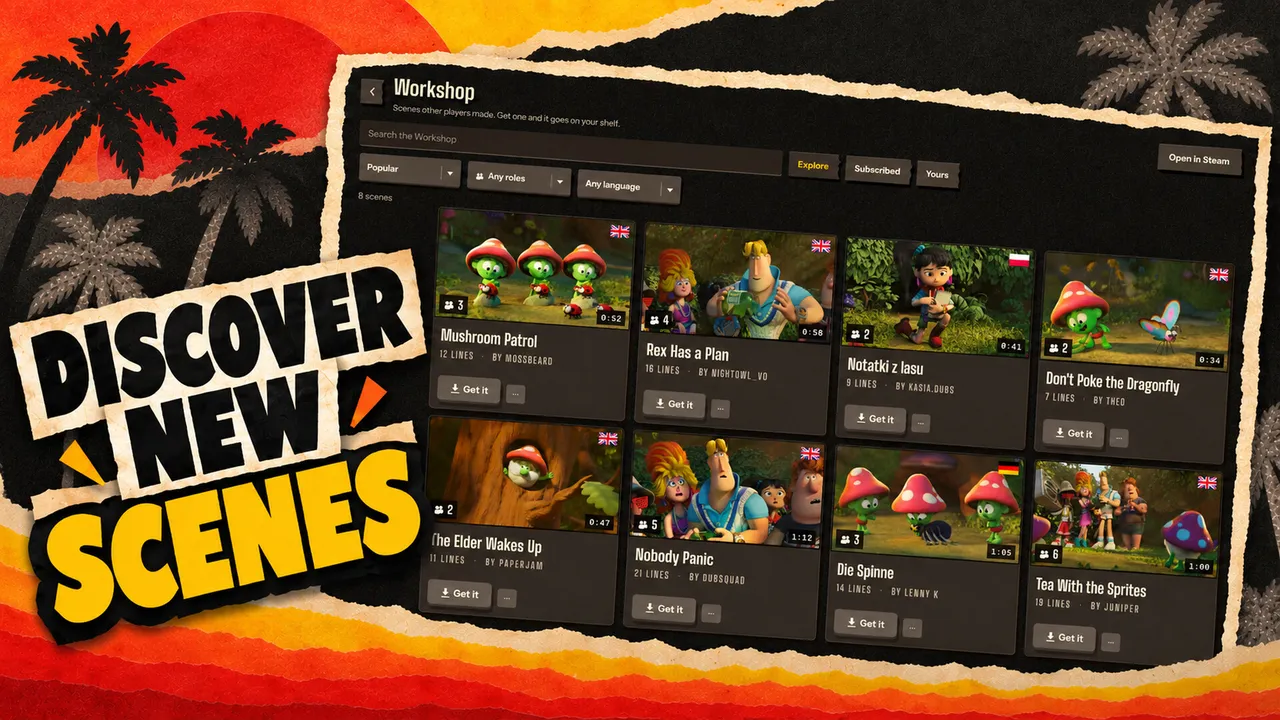
Choose Solo, Couch party or Online party on the title screen. Then pick a scene from your shelf, or get one from the Workshop. In a room, the host picks and everyone else receives the scene automatically.
3. Claim your roles
Every character in the scene is a card on the casting board. Claim one or more. In Solo you choose which roles you want to dub. Roles nobody claims keep their original voice.
4. Record in the booth
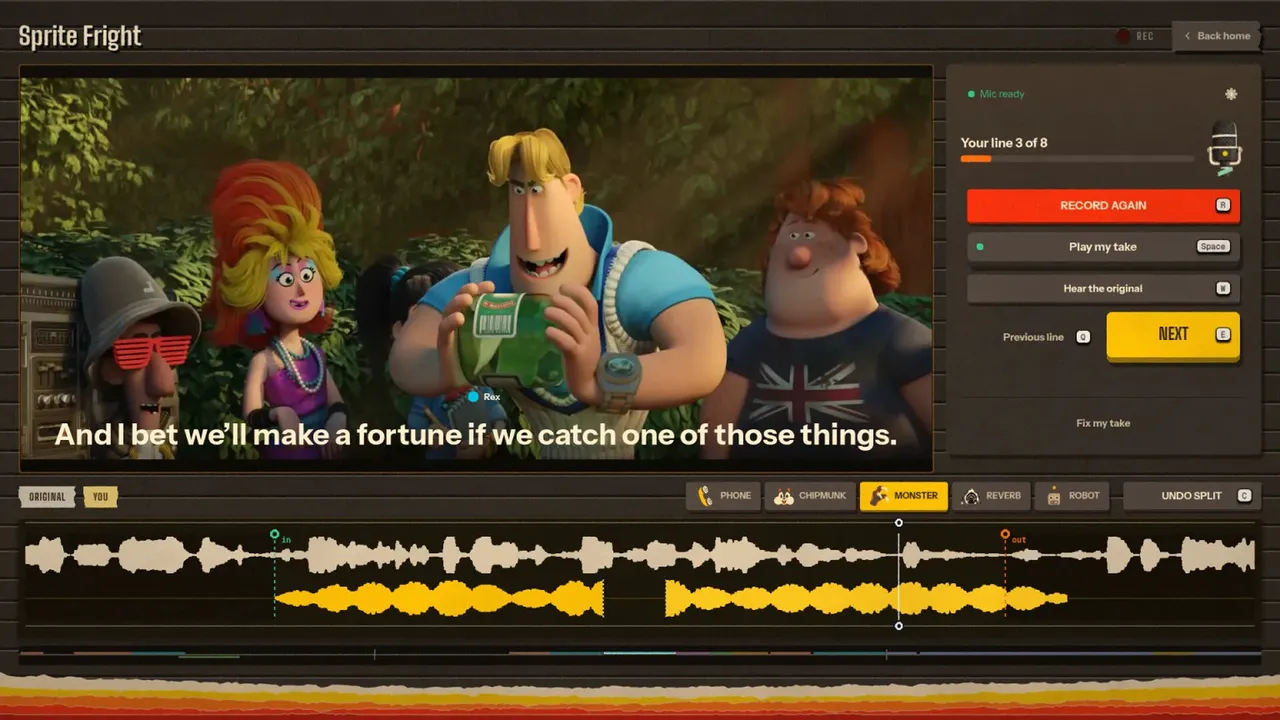
- Hear the original plays the line as it was.
- Record starts a short count-in, then records you over the scene.
- Play my take lets you hear it back. Record again until it is right, or exactly as wrong as you wanted.
- More voices opens the voice library and the Custom tab for your own voice.
5. Watch the premiere
Once every line is recorded, the premiere plays the whole dub. Send reactions while it runs. Afterwards save it as a video or audio file. Every dub stays in History.
Make your own scene
- Open Scenes and choose to import a video. MP4, MOV, MKV, WebM and AVI work.
- Trim the part you want.
- Press Find the lines. With Auto Dub on, the game separates the voices from the music, writes down every line and guesses who speaks.
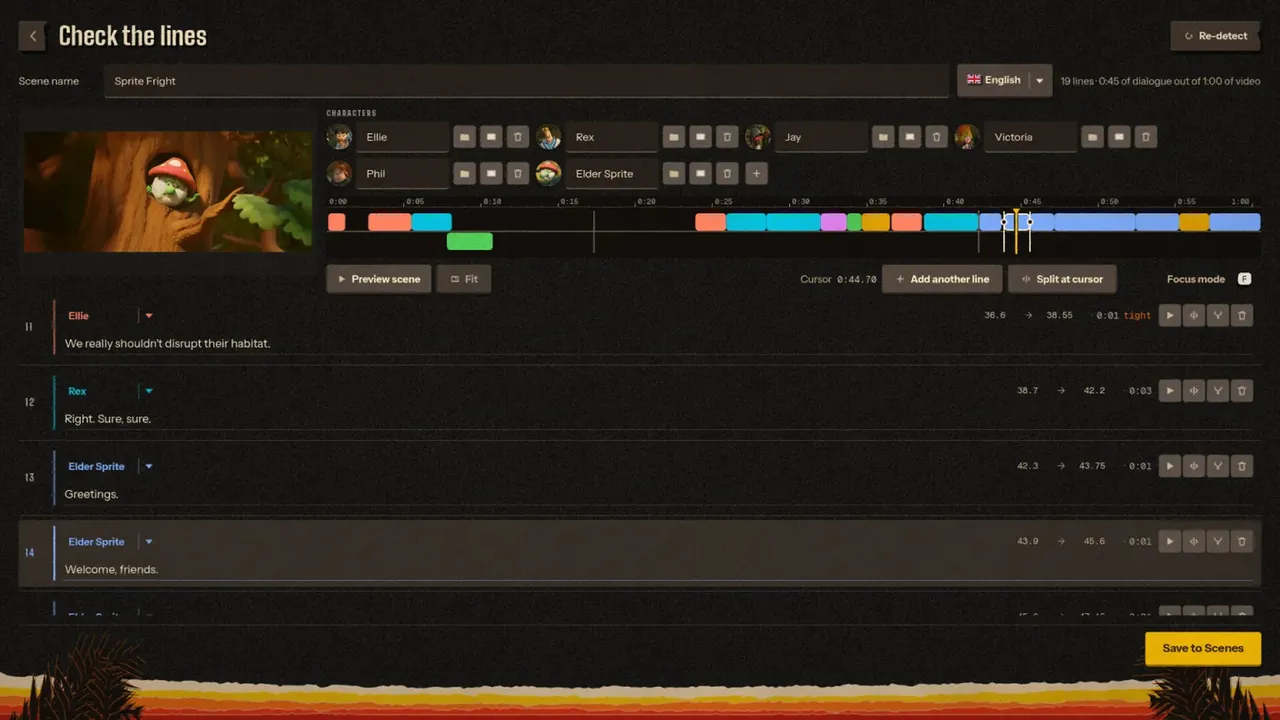
- Fix anything in Check the lines: drag the edges, split with C, delete with Delete, rename speakers and give them pictures.
- Save the scene to your shelf, and publish it to the Workshop if you want others to dub it too.


Grab a mic
Dub Party comes out in October 2026. Wishlist it and request the free playtest on Steam.